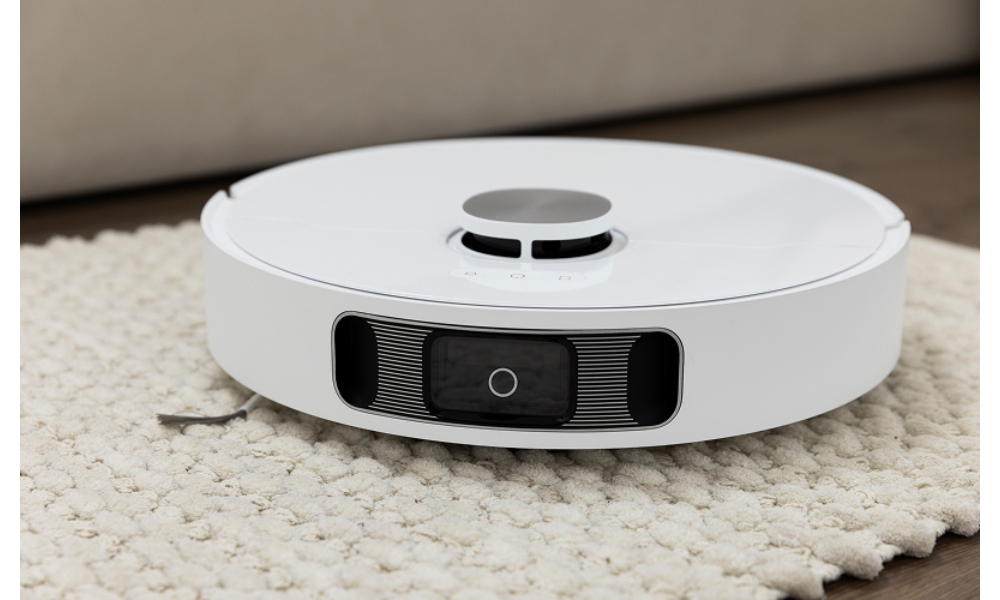
There’s no denying that a robot vacuum and mop can make life easier. You get sparkling floors without having to lift a finger—except when something goes wrong. Maybe your device suddenly refuses to start, keeps missing corners, or spins in circles like it’s lost its sense of direction. Sound familiar? Don’t worry, these hiccups are more common than you might think, and most can be fixed right at home.
1. When It Stops Mid-Clean: The Power Problem
So, your robot vacuum and mop decide to take a nap halfway through cleaning. The first suspect? Its power source. It could be that it hasn’t charged properly or that the dock’s power cable has come loose. Try wiping the charging contacts on both the robot and the dock with a dry cloth, since dust can be surprisingly sneaky.
If you’re using a Narwal device, make sure the charging base is on a level surface and not tucked in a corner. These robots rely on infrared sensors that can struggle if surrounded by clutter or reflective surfaces. A small adjustment to placement can often bring them back to life.
2. When It Refuses to Move or Keeps Circling
Ever seen your robot vacuum and mop behave like it’s stuck in a loop? Sometimes it’s not the motor but the sensors. The cliff sensors underneath may be detecting shadows as drop-offs, especially on dark tiles or patterned flooring common in Singapore homes. Wiping them clean usually helps.
And if it still can’t move properly, check the wheels. Hair, string, or dust bunnies can easily tangle up the axles. It’s not pretty, but removing debris with a small brush or tweezers can make a world of difference.
3. When It Misses Spots or Cleanses Poorly
You might start wondering why your once-efficient Narwal isn’t picking up as much dust as before. The answer usually lies in maintenance. The brushes, filters, and mop pads need regular cleaning to keep performance consistent. Rinse or replace filters every week, depending on how often you use it.
Also, keep in mind that these devices map your space over time. If you’ve recently rearranged your furniture or added a new rug, your robot vacuum and mop might take a few runs to “learn” the changes. A quick reset of the mapping system can help it start fresh.
4. When It Can’t Find Its Way Home
One of the funniest but most frustrating moments is when your robot gets lost trying to return to its dock. This usually happens when the base station is blocked by shoes, cables, or furniture. Keep the path clear within at least a metre on each side.
If you have a Narwal model with smart navigation, open your app to see its cleaning map. It can show you where it last got confused. Updating the firmware through the app can also help, as it’s like giving your robot new instincts.
5. When It Won’t Mop Properly
For those who use a hybrid robot vacuum and mop, issues often arise when the water tank isn’t properly attached or the mop pads are too dry. Always ensure the tank clicks firmly in place. If you’re using cleaning solutions, stick to those recommended by the manufacturer since strong chemicals might block the nozzles or damage the tank.
And yes, check the floor type. Some mops struggle on uneven tiles or deep grout lines. In such cases, switching to a different cleaning mode can prevent streaks or patchy results.
Keeping Your Robot in Good Shape
Regular cleaning goes a long way. Empty the dustbin daily, clean the sensors weekly, and replace filters and brushes every few months. These small habits will save you time and money later.
You know what’s often overlooked? Firmware updates. Just like your phone, your Narwal benefits from new software that improves navigation and battery life. Make it a routine to check the app for updates every few weeks.
Conclusion
A robot vacuum and mop isn’t just a gadget; it’s a quiet helper that keeps your home clean while you relax or spend time with family. Occasional hiccups are normal, but most can be fixed with a bit of patience and care. So next time your robot throws a tantrum, you’ll know exactly what to do.
Want to learn more about how to keep your device in perfect working condition? Get to know more about Narwal Singapore today.